
One thumb, one drink
People are holding drinks and talking. One large shutter low on the screen, and filters that switch with a single tap.
XR Roundup · NC XR × AWE Nite · WebAR photo booth
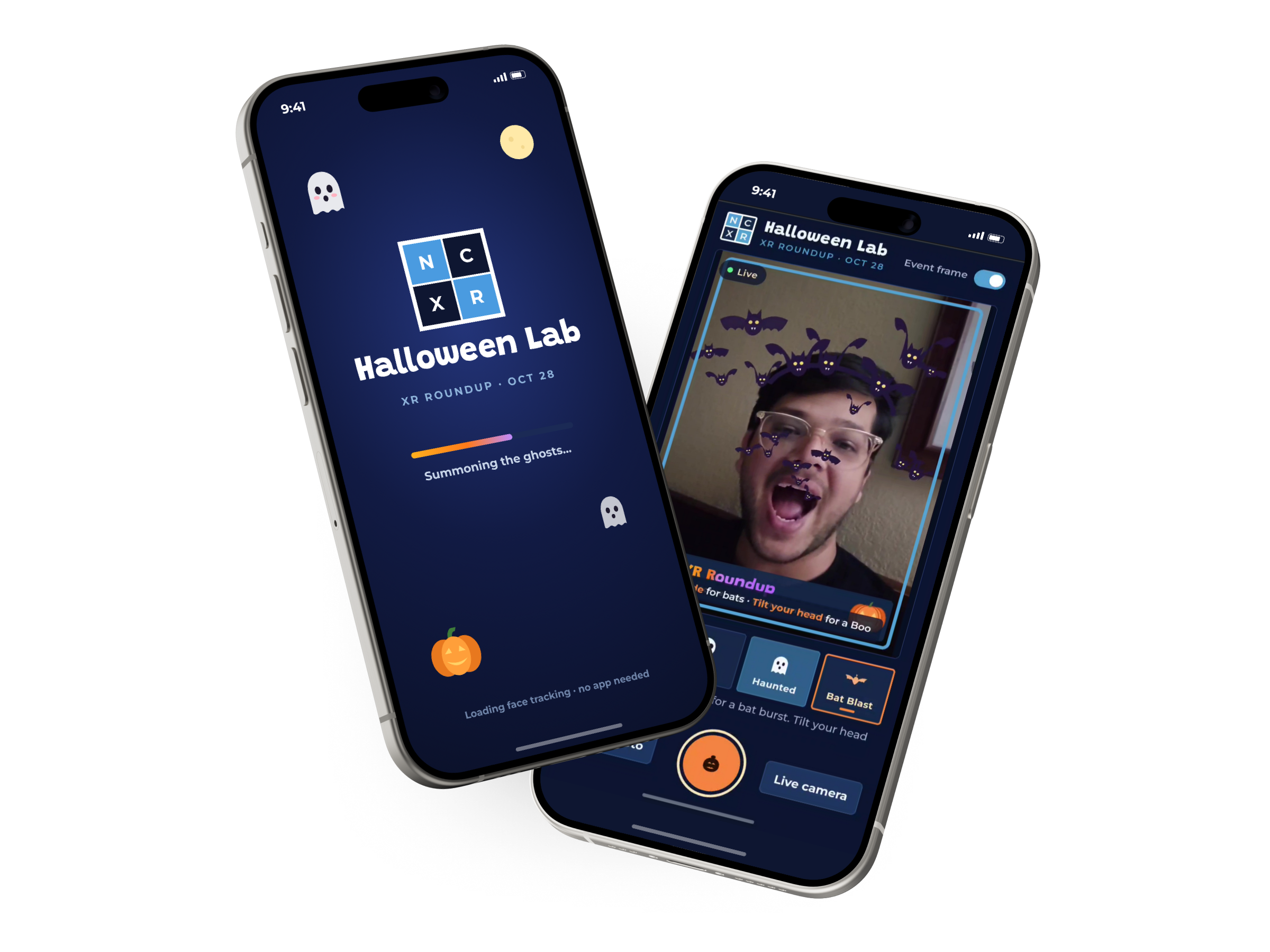
A no-install AR photo booth for the Halloween edition of XR Roundup. Scan a QR code, pick a filter, and walk away with a photo that carries the event with it.
Experience & Interaction Designer · Concept to build
NC XR community × AWE Nite · Protagonist Brewery, Charlotte · Oct 2026

Role
Experience & Interaction Designer

Event
XR Roundup · NC XR × AWE Nite

Deliverables
4 WebAR filters, photo frame, recap reel

Tools
68-pt face tracking · HTML Canvas · Claude
Overview
0 installs
Scan a QR code and the booth opens straight in the phone browser
XR Roundup is an open meetup with no speakers or panels. People bring demos, network, and for the Halloween edition, show up in costume. I wanted something everyone in the room could try in under a minute, whether they build XR for a living or have never opened a lens editor. The photo is the souvenir: if every selfie carries the event name, date and venue, every share quietly promotes the community.
People are holding drinks and talking. One large shutter low on the screen, and filters that switch with a single tap.
Warm, low light makes tracking harder. Every prop scales from the eye distance and holds steady when the face is far away.
Some guests use Snapchat, some avoid social apps entirely. Anything that needs an install leaves people out.
01 · Ideation
I mapped where it runs, what people play with, what mood fits, and what the room is like. The room decided most of it.
How can everyone at the meetup try AR in under a minute?
The question everything hangs off
01Where it runs
→ WebAR via QR, zero installs
02What people play with
→ 4 filters, 4 kinds of AR
03What mood fits
→ Cute over creepy
04What the room is like
→ One thumb, big shutter, robust tracking
Choosing the platform
Snapchat Lens
Have Snapchat installed and signed in
Strong tracking, but locks out non-users
TikTok Effect
Have TikTok installed and signed in
Same install barrier
Not possible: Meta Spark AR shut down in January 2025
Off the table
WebAR via QR code
Scan a code; it opens in the phone browser
Chosen: zero install, works for everyone
02 · The filters
Something worn on the face, a change to the face itself, a change to the world around you, and a trick you trigger with your own expression. Cute over creepy, so the whole room joins in.
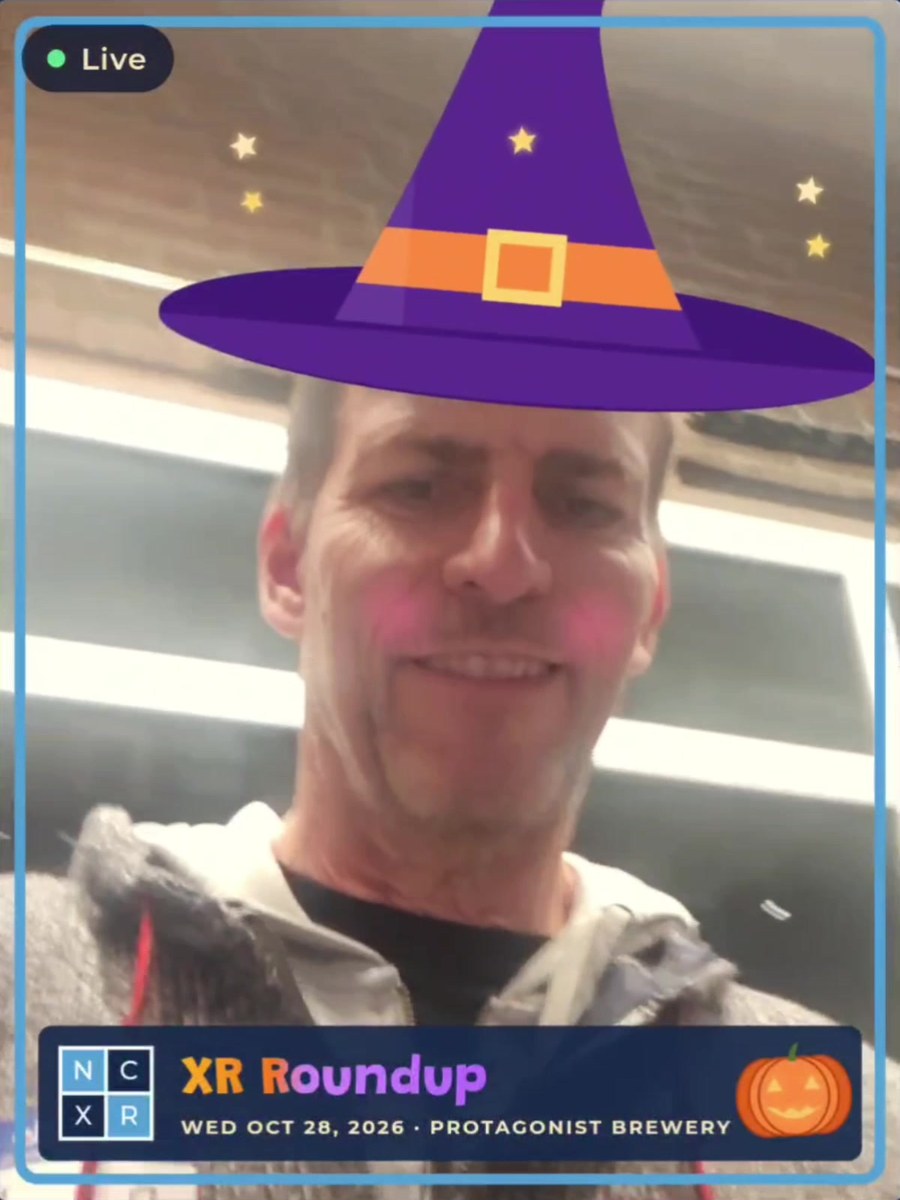
Witch Hat
A floppy hat, rosy cheeks and stars that orbit behind the head.
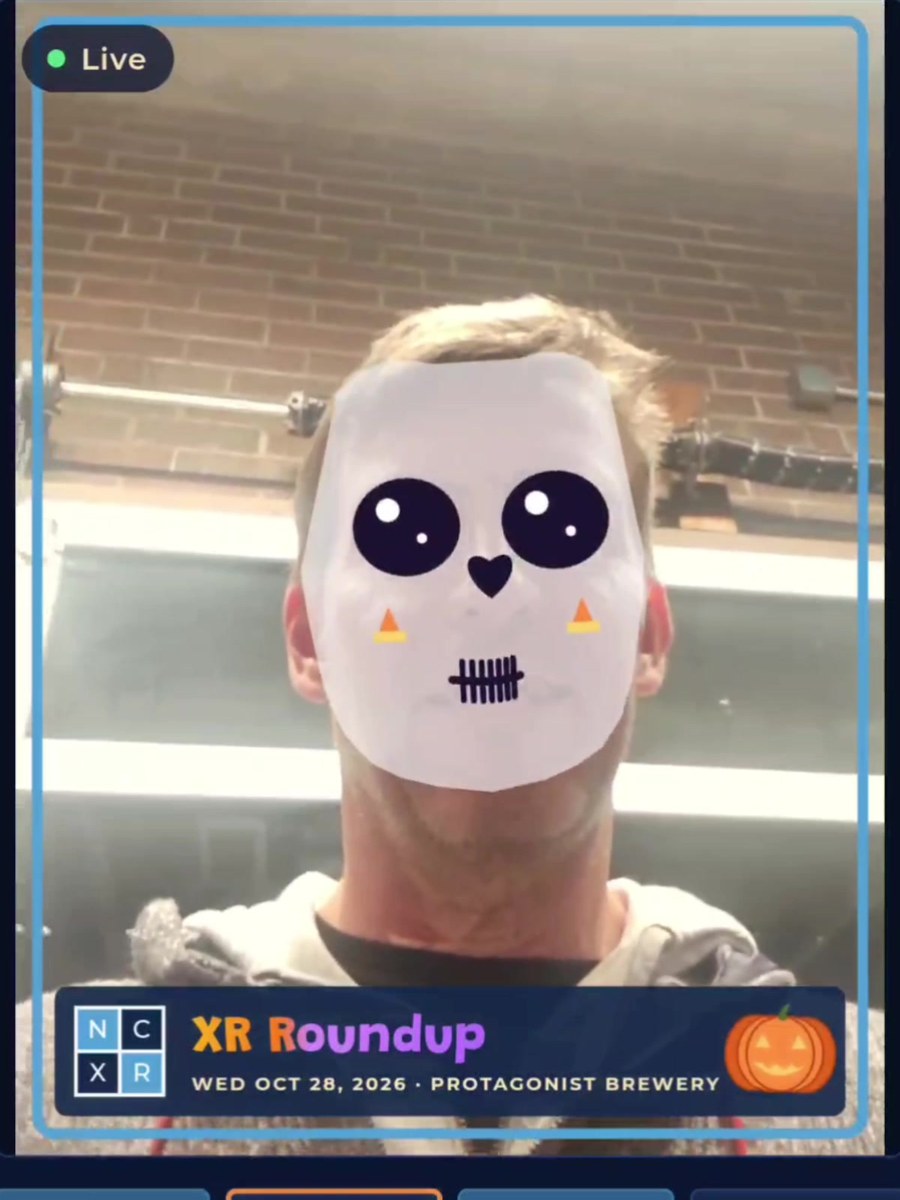
Skelly
Cute skeleton paint with button eyes, a heart nose and a stitched grin.
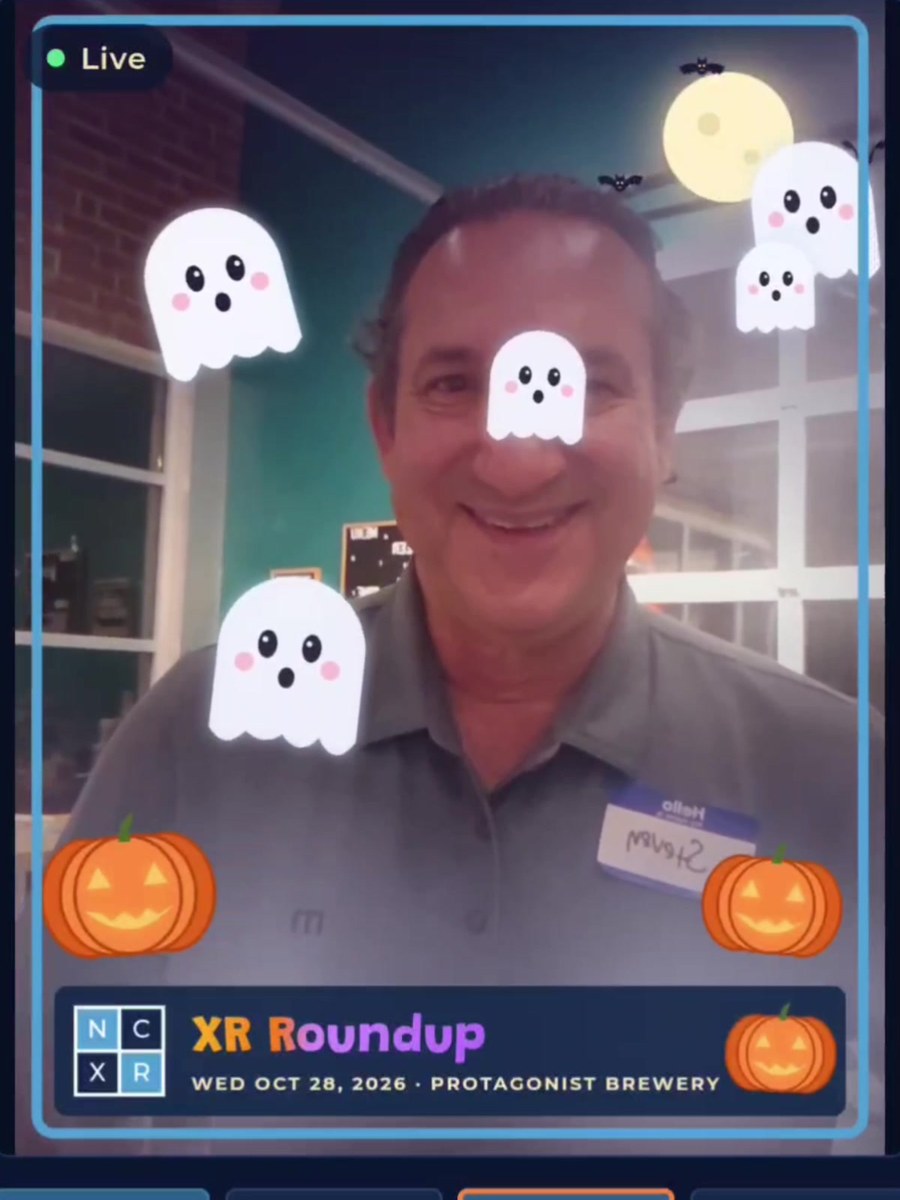
Haunted
The world changes: ghosts, fog, a moon and glowing jack-o’-lanterns.
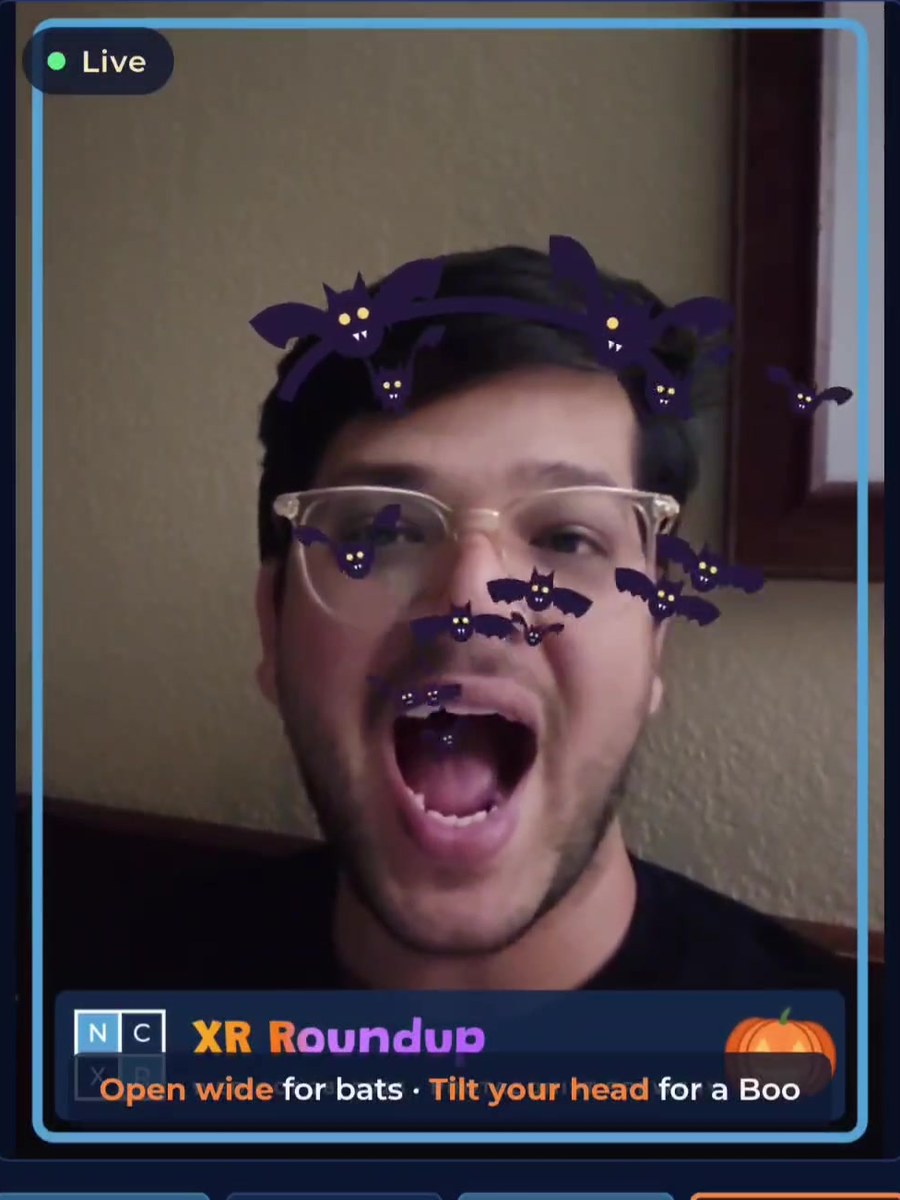
Bat Blast
Open wide for a bat burst. Tilt your head and a ghost shouts BOO.
03 · Interaction
A hint chip names both gestures, so nobody has to guess.
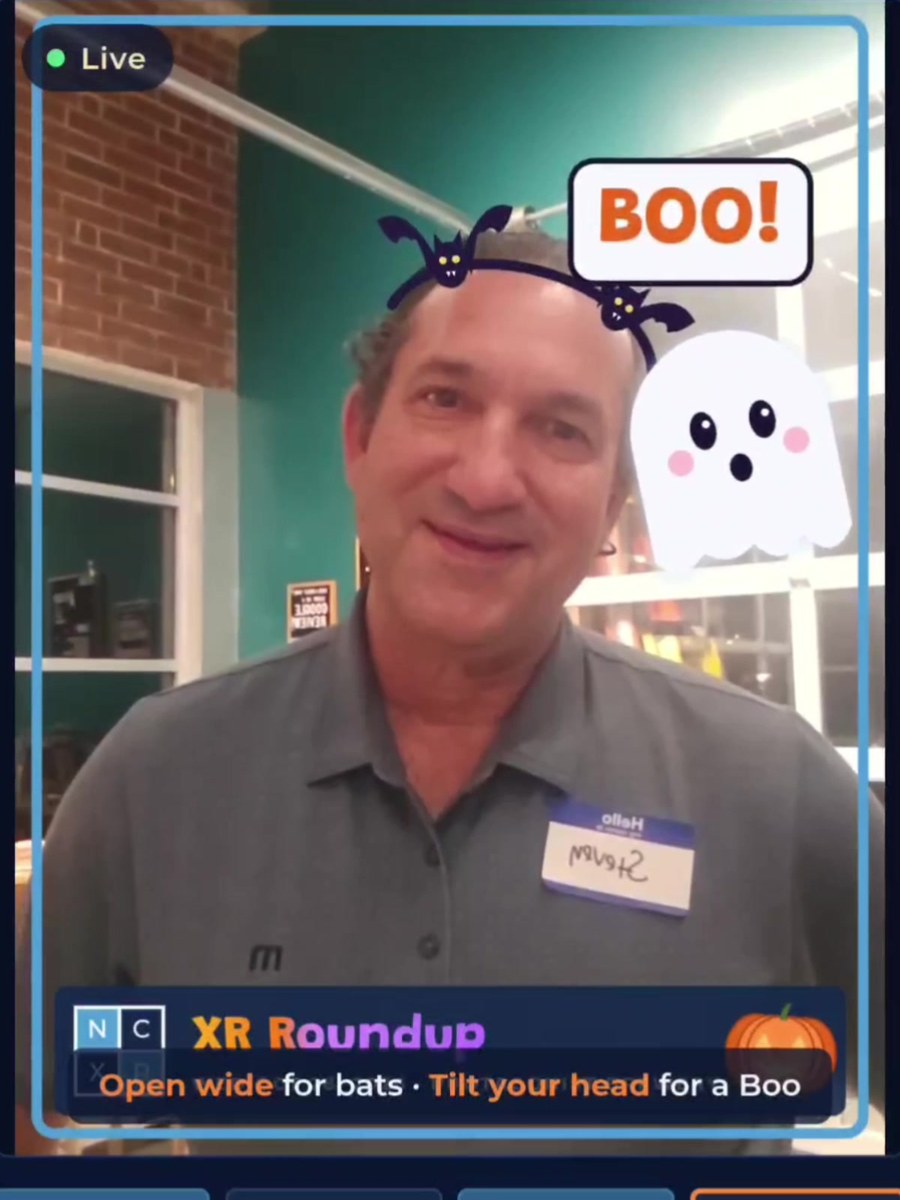
Tilt your head → BOO
At the event: a guest tilts and the ghost swoops in.
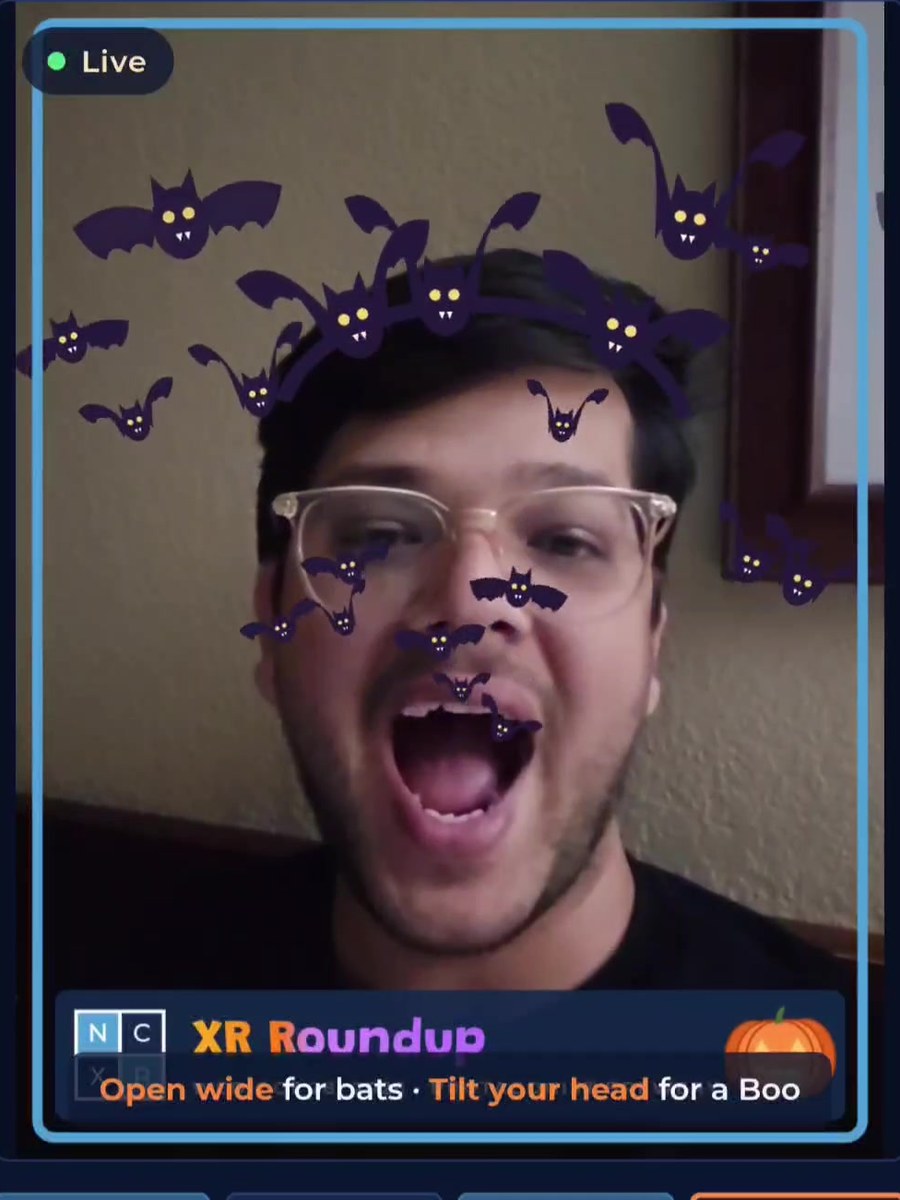
Open wide → bats
Test run: bats burst from the mouth and scatter.
Bat Blast measures the gap between the lips against the eye distance. Past a threshold, bats spawn from the mouth, flap and fade.
Tilt past about 16 degrees and hold for a beat, and a ghost swoops in from that side. A short cooldown keeps it from firing again and again.
Blinking was my first trigger. The tracker’s eye points jitter too much to read a blink reliably, so I swapped it for a big, deliberate head tilt that also makes a better photo.
04 · The exception
The live camera is blocked in some places a QR scan or shared link can land: in-app browsers, embedded previews, or a permission someone tapped away. Instead of an error screen, the booth falls back to a still photo. Guests take a selfie or pick one from their gallery, and the same four filters, frame and save flow apply.
01
Scan the QR code
ncxr-halloween.netlify.app
02
Start
Camera or selfie
03
Live camera
Pick a filter, snap
04
Save & share
Framed photo
If the camera is blocked, Start routes to a selfie or a photo from the gallery instead of an error, then rejoins the same four filters, event frame, and Save & share screen.
“The live camera isn’t available in this view. Take a selfie or choose a photo and the filters still work.”
“No face found. Try a closer, well-lit photo.”
“Looking for a face…” The face props pause, but the haunted scene keeps playing.
05 · Sketch to screen
Built screens
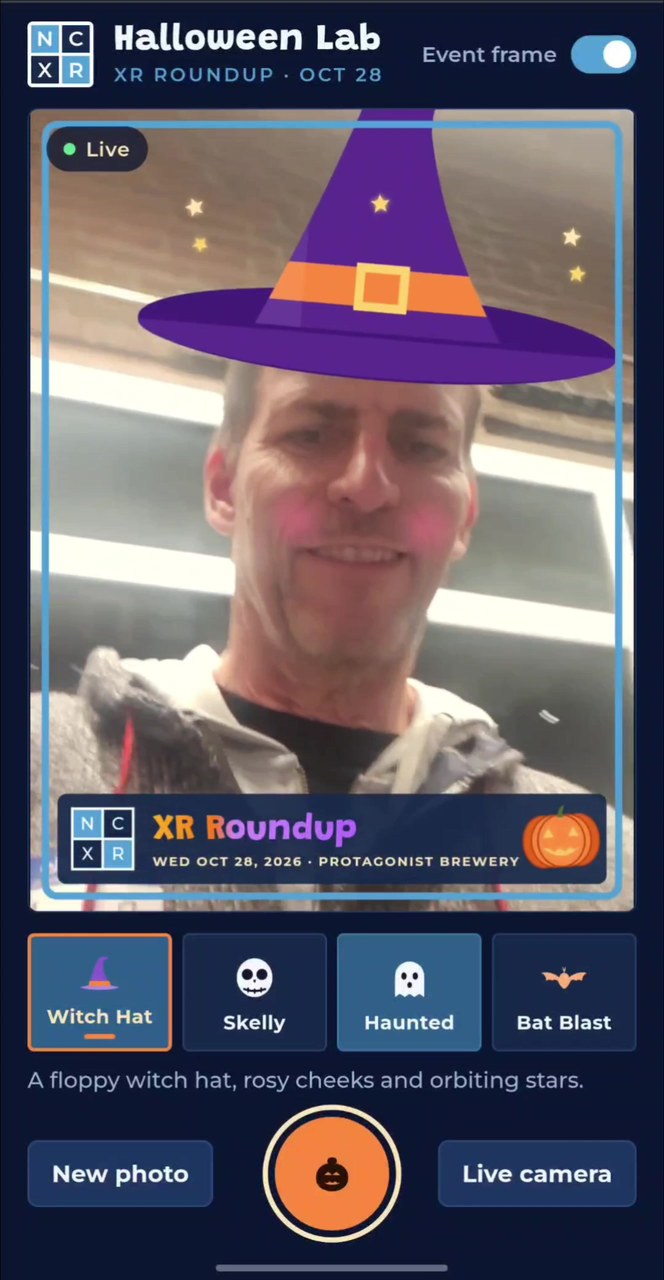
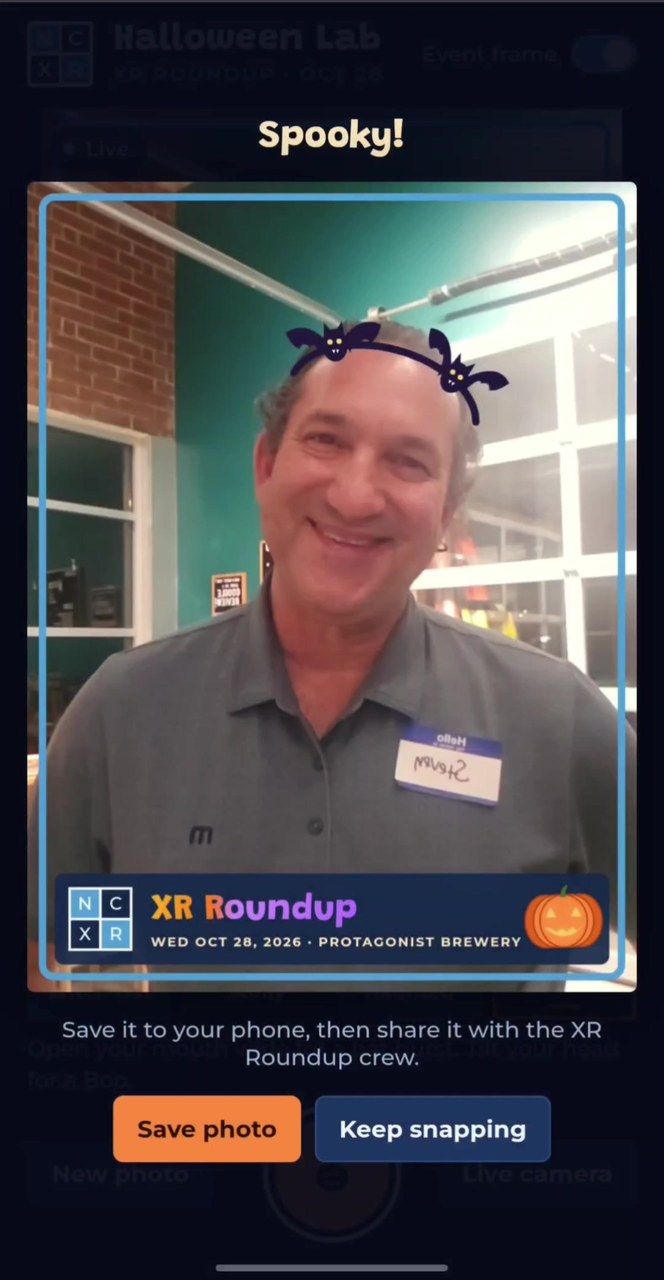
The NCXR mark is a two-by-two grid of light and dark blue tiles. I turned that grid into the filter picker, so the brand is something you touch. The shutter sits low and large for one-thumb use, and the stage shows exactly what gets saved.
The event flyer set the palette: an orange-to-purple title on a night-blue ground. The photo frame carries that title, the NCXR tiles, the date and the venue, and is on by default. Guests can switch it off for a clean shot.
Results
4 filters
All four used on the live camera on the night
1 QR code
Scan and play in the phone browser, no install
Head-tilt BOO
The one trigger I couldn’t test before the event fired for real in the room
Recap reel
Vertical cut for Instagram Reels and Stories: live footage plus saved photos.
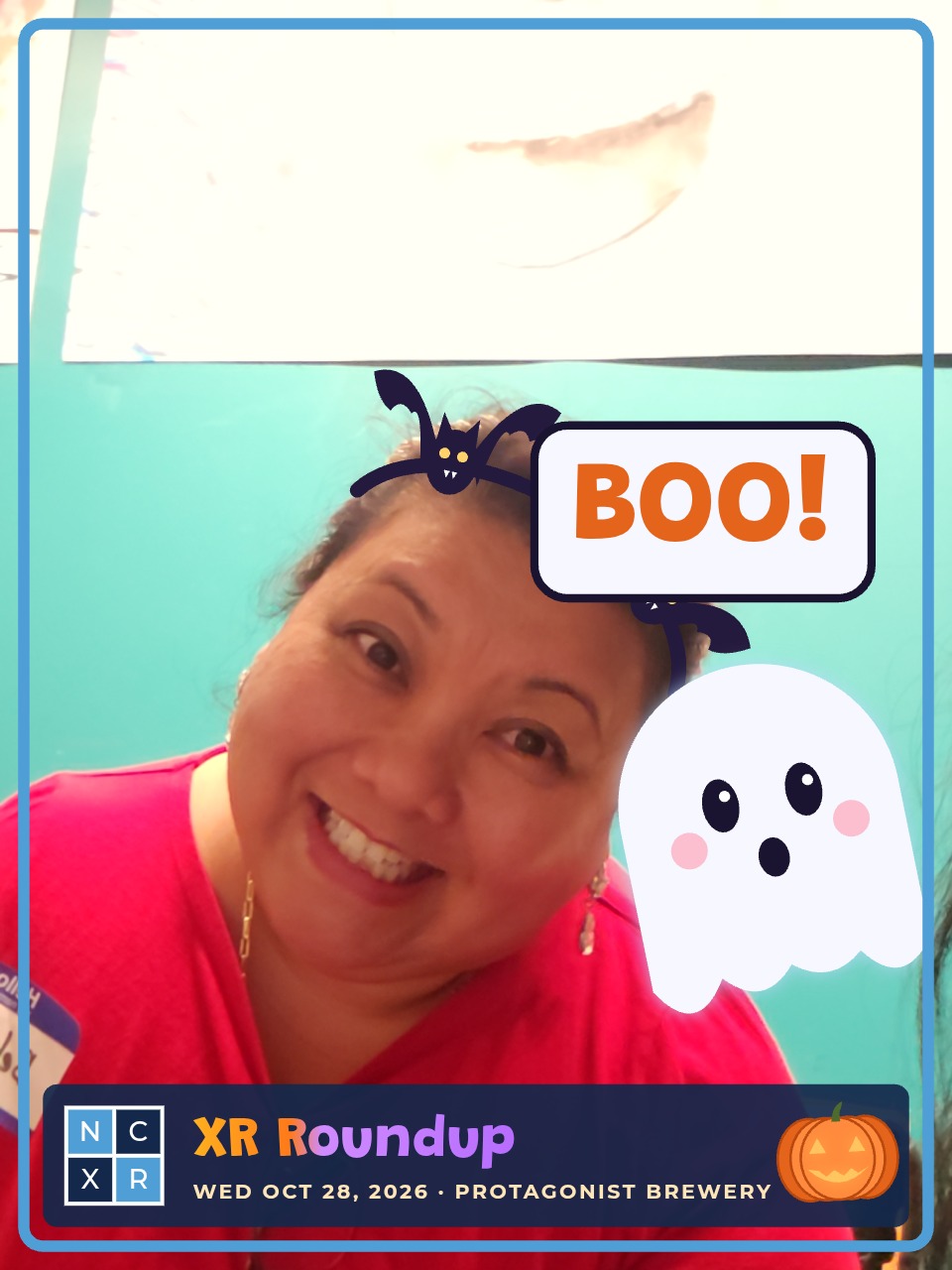
Tilt, and BOO
Bat Blast’s head-tilt ghost, caught in a guest’s saved photo.
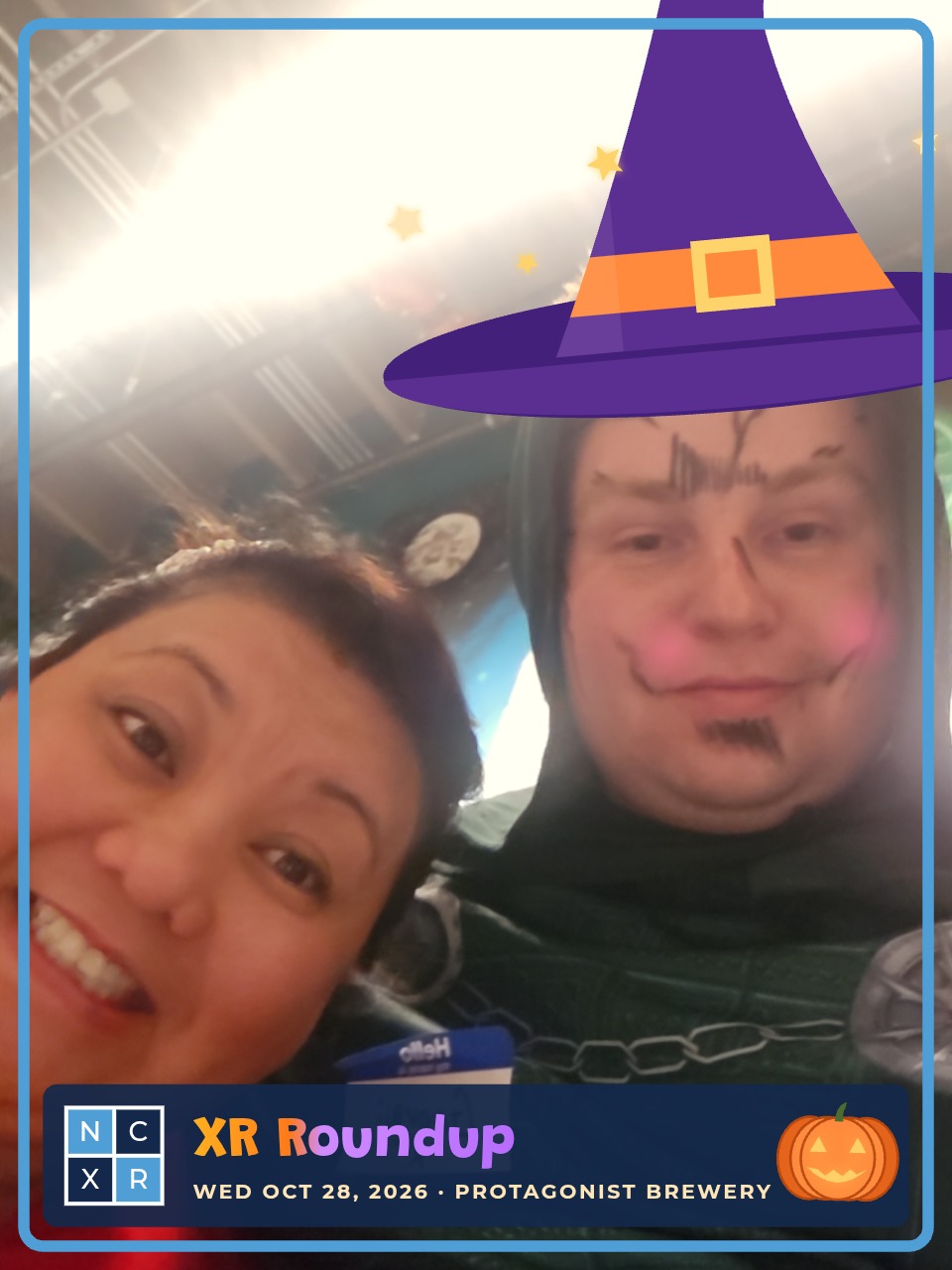
Costume, meet filter
The Witch Hat on top of real Halloween makeup, frame on, ready to share.
Made to be shared
Every saved photo carries the event name, date and venue, framed 3:4 so it posts straight to the Instagram feed. Built for one night only; the filters weren’t released publicly.
Personal project for the NC XR community’s Halloween XR Roundup, co-hosted with AWE Nite at Protagonist Brewery, Charlotte. Photos and video from the night.
More projects
All work